

Easy Steps to Use our Online Gallery
Shopping your art from World Gallery Online is very easy. Please follow these simple steps.
Continued from page 2.
Step 7
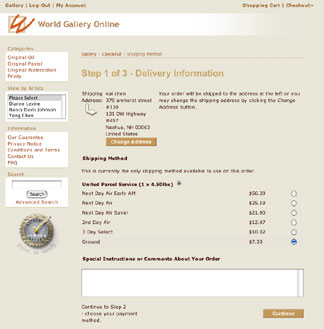
If you need to change your shipping address, click on the "Change Address" button. We use United Parcel Services to deliver your poster. You can select one from the list of UPS services. Then click on "Continue" button.
Step 8
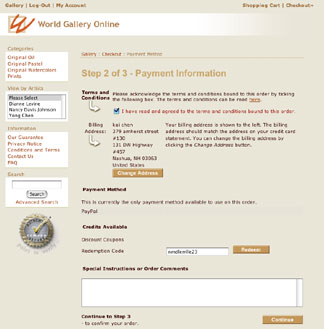
Now you are on the Payment Information page. If you have not read the Terms and Conditions, please use the link to read it, then check the box to acknowledge. Enter your Coupon/Promotion Code (if there is any for the artwork that you select) then click on the "Redeem" button.
Step 9
On this Order Confirmation page, you will see the cost of your selected artwork with the cost of shipping. Review your addresses one more time. Change if you need to.Then click on the "Confirm" button to pay for your shipping fee using PayPal.
Upon receiving the confirmation from PayPal, we will ship your artwork to your delivery address. Your UPS tracking number will be E-mailed to you when your artwork is shipped. Click here to visit us now >
If you have questions, please contact us, thanks.
